Mobile themes world free themes,wallpapers and more

Saturday, September 19, 2009

How to make new key pairs


How to make new key pairs using carbide.ui
Info:
This tutorial describes how to make a keypair using carbide.ui.All credits to Niikel


1. Goto Tools->Handle key pairs->New
2. As u click new, a dialog opens, mention any name for the key
pair.
How to make new key pairs step2
3. Click on Make key...Fill the details and then say Generate.

How to make new key pairs step3

4. Choose "Save" and close the wizard.


5. Your key pairs are ready to use...

All credits to Niikel


Cinema by danni


Cinema by danni

Info:
QVGA Themes for fp1 and fp2 phones with ovi and xzy50 icon version


Links:
For Fp1:
Download Here

For Fp2:
Download Here


iWalls Black wallpaper by Zagato


iWalls Black wallpaper by Zagato

Info:
Transparent 240×235 wallpaper pack


Links:
Download Here


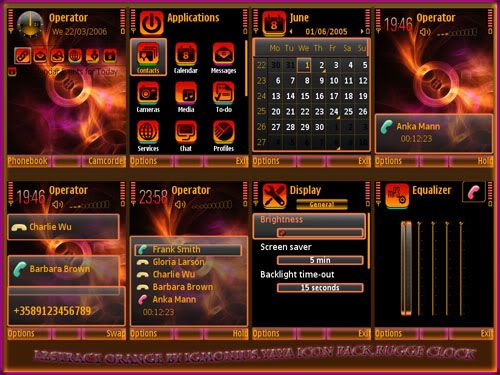
Abstract Orange by igmonius


Abstract Orange by igmonius

Info:
QVGA themes for fp1 and fp2 phones.


Links:
Download Here


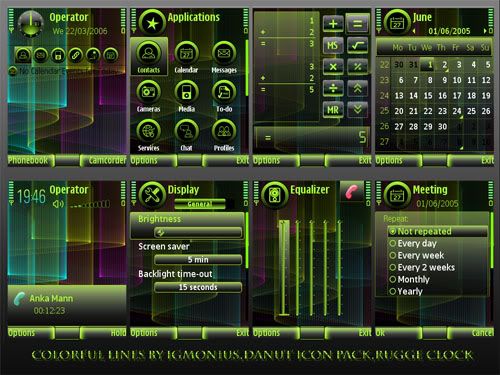
Colorfull Lines by igmonius


Colorfull Lines by igmonius

Info:
QVGA Themes for fp1 and fp2 phones


Links:
Download Here


    Follow me on Twitter
     
    HOME | ABOUT ME | CONTACT ME

    Mobile Phone Customization Copyright © 2009 Community is Designed by BieModified By TheShadow

    back to top